
University Library
Interlibrary Loan
Enter ILLiad Here First Time User? Create an Account!
Interlibrary Loan (ILL) is a free service that lets the ULM Library borrow materials
from other libraries. It may take a week or more to get your materials, so try to
plan ahead! Sometimes other libraries require payment for certain materials, but we
will ask you first. Enhanced security measures now require that all patrons change their passwords periodically.
When you log into the system, you may be prompted to change your password.
If you need further assistance or have problems with your ILLiad account ask at the
Circulation Desk on the first floor. The ILL Librarian, Melinda Matthews, can be reached
at matthews@ulm.edu or by phone at (318) 342-1067. The ULM Library's ILL service is not available to
courtesy card users not currently affiliated with ULM.
How to get started with ILL
To begin, create an ILLiad account.
Image Tutorial on Creating your ILLiad Account
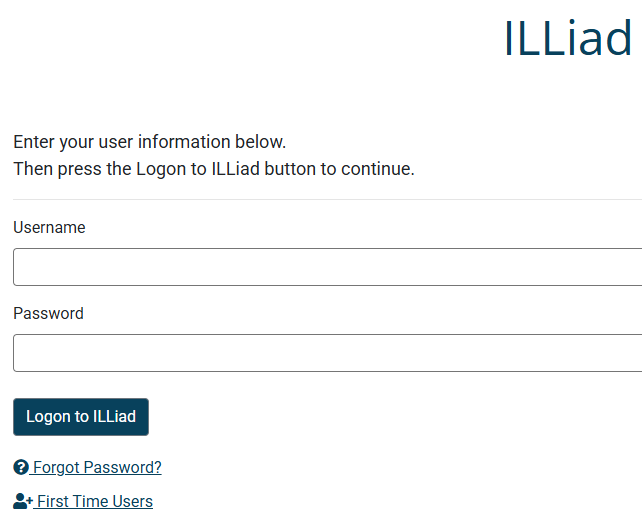 |
If you select "Enter ILLiad Here" at the top of this page, you will be directed to the ILLiad login screen. If you already have an account, enter your username and password to access the ILL portal. If not, select "First Time Users" to create an account. If you have an account but have forgotten your password, select "Forgot Password." |
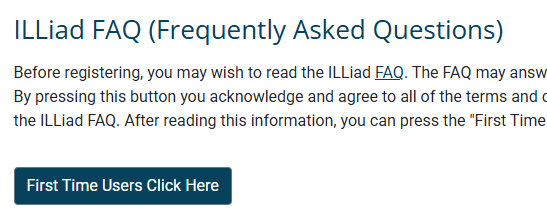 |
When creating an account, review the terms and conditions as well as the helpful FAQ before selecting "First Time Users Click Here" at the bottom of the page. |
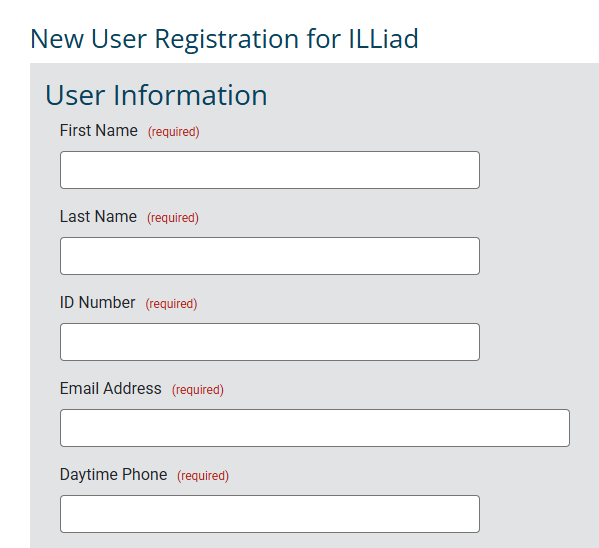 |
Your ID Number is your CWID.
|
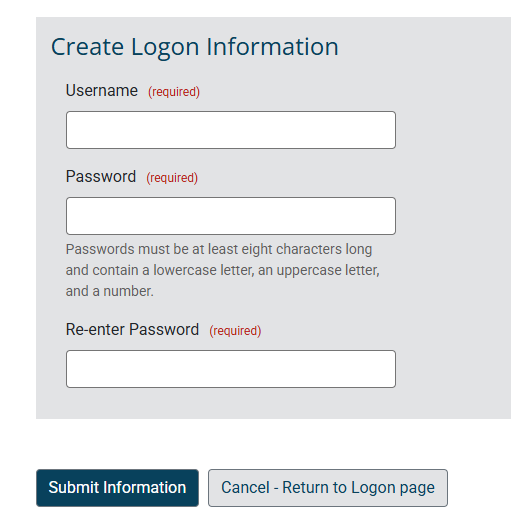 |
You will create your own username and password, so be sure to choose something you will remember! Finally, select "Submit Information" at the bottom of the page to create your account. |